Online Video Course
The Design-First System for WordPress Websites
Get instant access
- 30 Days Money Back Guarantee
Introduction
What this course is really about
Most WordPress designers don’t struggle because they lack talent or a designer’s eye, but because they skip the most important step: designing before they build.
They open their pagebuilder, look for inspiration, copy bits and pieces or design trends, and end up stuck in endless client feedback rounds with a design they are not truly confident in.
But the problem isn’t the tool. It’s the lack of a process.
This course gives you that process. A design-first workflow that starts with understanding the problem, structuring the website, defining a clear visual direction, and then building with confidence instead of guesswork.
We will use Figma to do this, but this is not a Figma course. Figma is just the best tool right now for this step in the process. The design principles and the workflow you’ll learn here will outlast any tool, including whatever AI throws at us next.
By the end, you’ll have a repeatable system, stronger designs, and far fewer revision rounds with clients.
Old way
- Not knowing how to come up with a good design and lacking inspiration
- Wanting to work with Figma but not knowing where to get started
- Endless client feedback leading to loss of time and motivation
New way
- Always having inspiration and knowing what steps to take
- Knowing how to create beautiful designs in Figma and feeling proud
- Saving time and minimizing revisions by having a clear process


What’s Included
A complete package

Lifetime access to the Course
Learn at your own pace with full lifetime access to all course materials, neatly organized for easy use on your personal account.
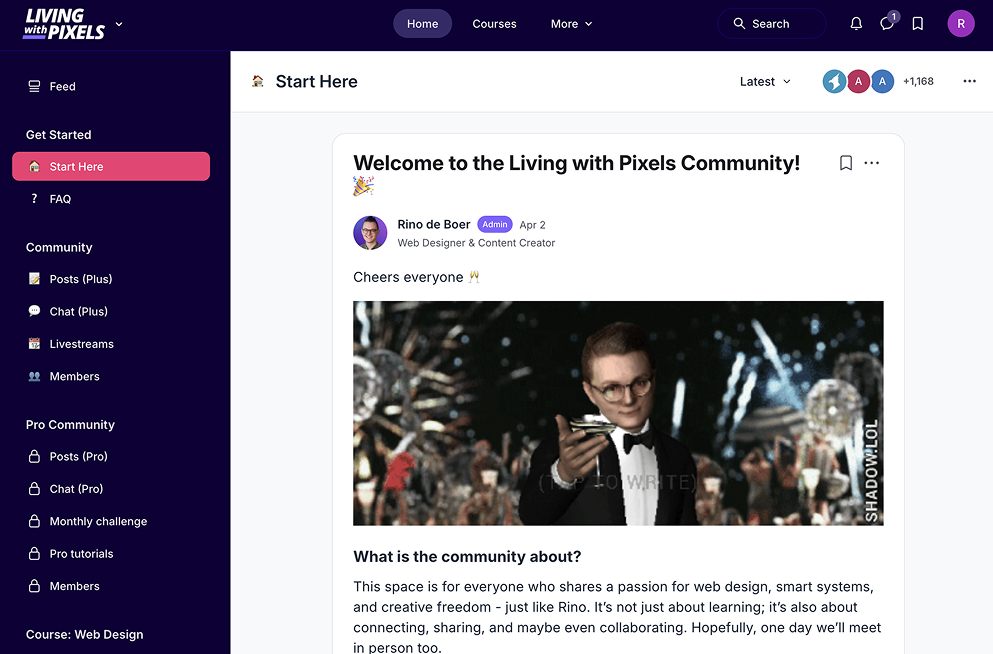
Lifetime access to the community
You will get access to the main LivingWithPixels community, a place where we help each other out and share ideas.

Hands-On Figma Practice Project
Apply what you’ve learned by designing a website step-by-step with Rino in Figma and walk away with 1 new portfolio item.

Essential Client Questionnaire
Get Rino’s tried-and-tested client questionnaire document to ask the right questions for every project.

Client email templates for each step
Get email templates for all steps in the design process so you can guide your client professionally.

Rino’s Inspiration & Creative Asset List
Discover Rino’s go-to resources for inspiration, including top websites, fonts, images, icons, and more.
Learn how to
Bring your vision to life


Preview
What you'll learn
Getting into the Right Mindset
Why we struggle so much
The Professional Design Workflow
Best practices for Web Design
Designing 1 website together with Figma
Streamlining Your Workflow
Get Instant Access
- The online video course
- The course bonuses
- An exercise project
- The online community

Trusted by 350+ students


(Discount field is on the next page. Pricing may change as the course evolves.)
FAQ
Any questions?
How long will I have access to the course?
You get lifetime access to the course.
Will this course be updated regularly?
Yes. When Figma rolls out changes that are relevant to the course then we will update the course.
What if I am unhappy with the course?
No problem at all. If you are unsatisfied with your purchase, contact us in the first 30 days and we will give you a refund.
Do I need a paid Figma account for this course?
No, you can just use the free version of Figma since it offers unlimited draft files for free.
Is the course beginner friendly?
Yes, this course is beginner friendly. But we are teaching a professional workflow, so expect serious stuff.
Will this course be helpful for an experienced web designer?
It depends. Do you feel like your design skills could be improved? Your workflow is too chaotic? Or clients keep coming back with feedback? Then this course can help you a lot.
Can I get an invoice for my business?
Yes, we have an invoice generator.
Do you offer regional pricing?
Yes, if you are from a developing nation, you fill out the form below to see if you qualify for the regional discount program.
I still have questions, now what?
Please just drop your questions on our email courses@livingwithpixels.com and we will answer as quickly as possible.
Please know we are a small company, so we don’t have a quick response time like bigger companies. Thank you for understanding.
Reviews
What others say